
Device Fingerprinting for Merchants: Setup Options and Chargeback Impact
Mar 16, 2026
A chargeback often starts with a simple story: “That wasn’t me.” Sometimes it’s true fraud. Other times it’s a customer who forgot the purchase, didn’t recognize the descriptor, or wants a refund the hard way.
That’s where device fingerprinting helps. It gives you a practical way to recognize repeat behavior across sessions, even when emails, cards, or IPs change. This guide breaks down how device fingerprinting merchants typically set up, what each option can and can’t do, and how it affects chargebacks when you pair it with the right dispute prevention tools.
What device fingerprinting is (and what it isn’t)
Think of device fingerprinting like checking a coat at a restaurant. The coat itself may look like many others, but the ticket number links it to a specific visit. In payments, the “ticket” comes from many small signals that, together, form a stable profile.
What data usually makes up a device fingerprint
Most device fingerprinting systems build an identifier from a mix of:
- Browser and device signals: OS, browser version, language, time zone, screen size, installed fonts, graphics capabilities.
- Network context: IP, ASN, proxy and VPN hints (when available), connection type.
- Session and storage clues: cookies and local storage when permitted.
- Behavioral patterns (in some tools): typing rhythm, mouse movement, touch patterns.
On its own, a device fingerprint doesn’t prove someone’s identity. Instead, it helps you answer questions like: “Have we seen this device before?” and “Does this look like the same person who disputed last month?”
Where merchants get the most value
Device fingerprints matter most when you need continuity across attempts:
- Account creation and login: catch account takeovers and bot-driven signups.
- Checkout: spot repeat fraud attempts with fresh cards.
- Subscription actions: plan upgrades, address changes, and cancellation flows.
This is also why fingerprints can support dispute work. They help connect an order to the same device used for prior logins, customer support chats, or confirmed deliveries.
A fingerprint won’t stop chargebacks by itself. It reduces them only when it triggers a decision, like step-up verification, a hold, or a fast refund.
Privacy and compliance: treat it like risk data
Because device fingerprinting can be used to recognize returning users, it can fall under privacy rules depending on where you sell and how the tool works. So keep it simple:
- Collect only what you need for fraud and dispute risk.
- Keep retention time-bound, not indefinite.
- Work with counsel on notice and consent where required, especially if the tool stores identifiers in the browser.
Setup options for device fingerprinting merchants can choose
The “right” setup depends on your checkout flow, your fraud stack, and how much engineering time you can spare. Some options take minutes, others take sprints.

Here’s a quick comparison to ground the decision:
| Setup option | Where it lives | Best for | Tradeoffs |
|---|---|---|---|
| Gateway or processor device data | Payment flow (processor tools) | Faster rollout, basic risk context | Less control, data may be limited to payment events |
| Fraud platform fingerprinting | Checkout and account flows | Unified scoring, rules, case review | Cost, tuning effort, possible extra latency |
| Custom in-house fingerprinting | Your site or app | Full control, tailored signals | Ongoing maintenance, privacy and security burden |
| Plug-in or platform module (commerce platforms) | Platform extension | Quick enablement on common stacks | Constraints on customization and data exports |
“Built-in” collection through payment providers
Many merchants start here because it’s close to the payment event and easier to operationalize. Some providers document straightforward approaches to collecting and sending device fingerprint data from checkout pages, for example J.P. Morgan’s device fingerprint collection guide.
This route is often enough to improve fraud screening, but it may not cover pre-checkout actions like account creation or login.
Commerce and fraud tools with clear configuration paths
If you run a large commerce platform, a module-based setup can be practical. Some ecosystems document the configuration in detail, like CyberSource’s device fingerprinting configuration notes.
The advantage is speed. The downside is that your “fingerprint story” may be scattered across tools if you also run separate login security or bot defense.
A simple rollout plan that avoids rework
Before you switch anything on, align stakeholders on two points: where the data will be used, and what action it triggers. In practice, a tight plan looks like this:
- Start with checkout and login (highest signal, lowest debate).
- Define two to three actions tied to risk (step-up verification, manual review, block, or refund).
- Decide what you’ll store for disputes, and for how long.
Chargeback impact: how fingerprints reduce disputes (and help you win the ones you can’t prevent)
Chargebacks aren’t just lost revenue. They bring fees, workload, and ratio pressure. If you want a plain-language refresher for your team, this chargeback lifecycle overview is a useful starting point.
Where device fingerprints help most with chargebacks
Device fingerprinting supports chargeback reduction in two ways:
1) Fewer “easy” disputes reach the networks.
When your system recognizes a risky pattern early, you can stop shipping, cancel access, or step up verification. That reduces true fraud and repeat abuse.
2) Stronger evidence against friendly fraud.
For first-party misuse, fingerprints can help show continuity, such as the same device logging in, managing the account, or consuming the service around the purchase. Some providers discuss how device signals fit into modern dispute evidence frameworks, including device fingerprinting for Compelling Evidence.
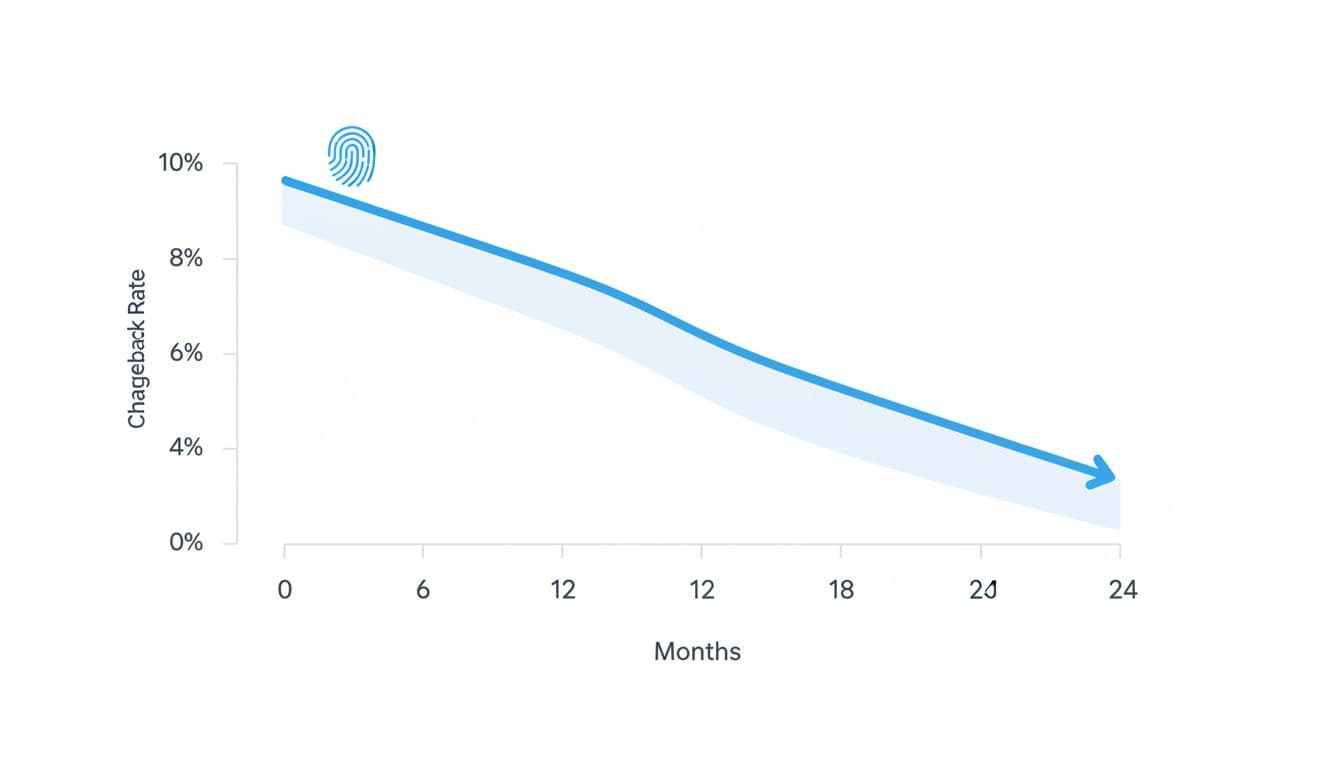
Still, don’t expect miracles if your operational basics are weak. Confusing billing descriptors, slow support, and messy cancellation flows create disputes that no device ID can fix.
Pair fingerprinting with early alerts and automation (Chargebase)
Fingerprinting is strongest when it feeds a prevention loop. That loop often includes chargeback alerts, which give you a short window to act before a dispute becomes a formal network chargeback.
Chargebase is a chargeback prevention and recovery platform built for merchants that accept card payments through gateways and processors. It focuses on stopping disputes early and reclaiming lost revenue with minimal manual work. In practice, Chargebase connects to your payment provider with a no-code setup, flags likely chargebacks, and sends real-time alerts only when they can help you stop the dispute.
It also supports dispute prevention networks and flows that many merchants use together:
- Ethoca alerts for early issuer signals (often handled with fast refunds).
- Verifi CDRN to prevent disputes and resolve pre-disputes on supported transactions.
- Visa RDR for rules-based outcomes, including auto-refunds when you choose that route.
A big operational benefit is control. Chargebase supports 10+ automation rules, so you can decide which disputes trigger refunds, which ones need review, and which segments you want to protect more aggressively. Pricing is also easier to reason about when it’s performance-based, since you typically pay per alert rather than committing to a large fixed fee.
To keep ratios healthy over time, track a few simple metrics: alert response time, refund accuracy (avoid double refunds), and the share of alerts that still become chargebacks. This short guide on keeping chargeback rates low maps well to how prevention programs are measured.
Conclusion
Device fingerprints work best when you treat them like a signal, not a verdict. Set them up where risk is highest, connect them to clear actions, and store only what you can defend. Then backstop everything with early dispute alerts and automation, because speed often decides whether a dispute becomes a chargeback. If you want fewer disputes hitting your ratio, pairing fingerprinting with chargeback prevention tooling like Chargebase is one of the most practical ways to get there.
You might also want to read
Chargeback Management & Software Overview
Dec 31, 2025
Chargeback Analytics & Reporting
Jan 02, 2026
Chargeback Management & Software Overview
Jan 13, 2026
Chargeback Prevention & Fraud Reduction
Jan 26, 2026